
This page details some of the things we look for when you submit your profile or journey for review. Making sure that you have these items correct would help you get through review faster.
Image Uploading
If you have trouble with uploading images, pay attention to the error message you receive from the server. Generally, it should give you a hint as to why your image was not accepted.

Please read the error since it tells you clearly that the uploaded image is smaller than the minimum required image size.
But you don't even have to wait till you try to upload to find this error. There are two places which tell you when the image is not the right size:
1. The required image size is mentioned below (or next to) the image upload button on every screen.

Notice that the expected default image size here is 1920x1080px and the minimum image size is 1200x675px. If you have an image larger than that, you can still upload it as long as the dimensions are bigger than the expected size for both width and height.
2. The image crop window knows the expected image size and tells you when your image is not the right size.

Before you upload an image, please pay attention to the Preview section below the image. It indicates if your image is the expected size and the correct aspect ratio or not. If the two numbers in the preview section are not in green, then the image will not be accepted by the server. So please make sure that both numbers are green before you upload.
Profile
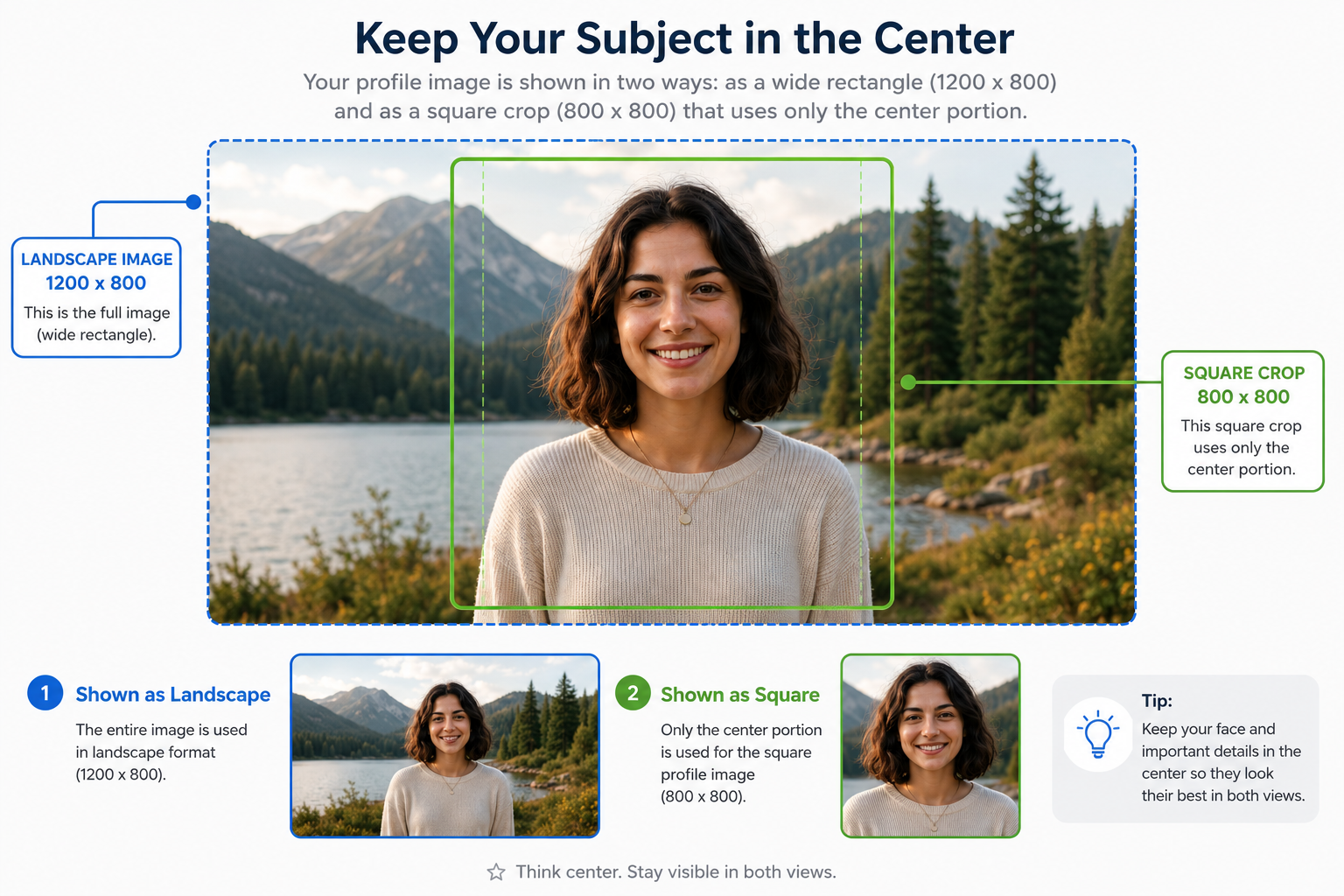
- Make sure that you have a profile image. The profile image should be at least 1200 x 675 px but could be bigger as long as it is the correct aspect ratio. Refer to the image below as to how you want the profile image to look.
- Update your Full Name to show the name that you want displayed for your guide profile.
- Update your short bio and your about description so that there's sufficient information about who you are what you do.
- Add in your social media links so that people can find you elsewhere.
Journey / Track
- A journey should at most have two pathways — select the pathways that you want your journey to appear in carefully.
- Make sure that your journey has a good cover image and the journey description conveys the essence of your journey.
- Generally, we prefer that a journey has at least three tracks to begin with. If a journey stands on its own with a single long track or two, that is fine too, but we'd prefer if you had three tracks. Note: You can later add more tracks to a journey either on a regular schedule or as needed — but preferably, the very first submission of a journey should have three tracks.